Park and forget where you stopped.
The app remembers for you.
A completely free Android utility that automatically records your parking spot the instant you turn off the engine. No account required, zero tracking, and no external server transmission.
How It Remembers Where You Parked
No complicated setup. Turn off your car and walk away — the app quietly saves your spot in seconds without draining battery.
Automatic Detection
You never need to unlock your phone or open the app. Parking is detected on its own:
- Bluetooth disconnect: The moment you turn off the ignition and the car radio shuts down.
- Charging disconnect: Unplugging your charging cable or 12V adapter triggers an instant check.
- Motion sensors: Automatic detection when transitioning from driving to walking.
Remembers 2 Cars
Driving a family car and a work car, or sharing parking spots with your partner?
- Car 1 (Blue Pin): E.g. Subaru with its dedicated Bluetooth device.
- Car 2 (Green Pin): E.g. Talisman or any second car.
- 1-Tap Walking Route: The "Route" button launches Google Maps with walking directions back.
Works in Underground Garages
Solves the problem of shopping mall basements and concrete parking decks where GPS drops:
- 0 km/h stop capture: Freezes your exact coordinate the second your car stops moving.
- Entrance preservation: If signal cuts out underground, the ramp or entry point stays pinned.
- No wandering: You always know exactly which entrance to head toward.
Clean, Utilitarian & Fast Experience
No convoluted sub-menus. Essential information, coordinates, and navigation shortcuts are accessible right from the main dashboard.
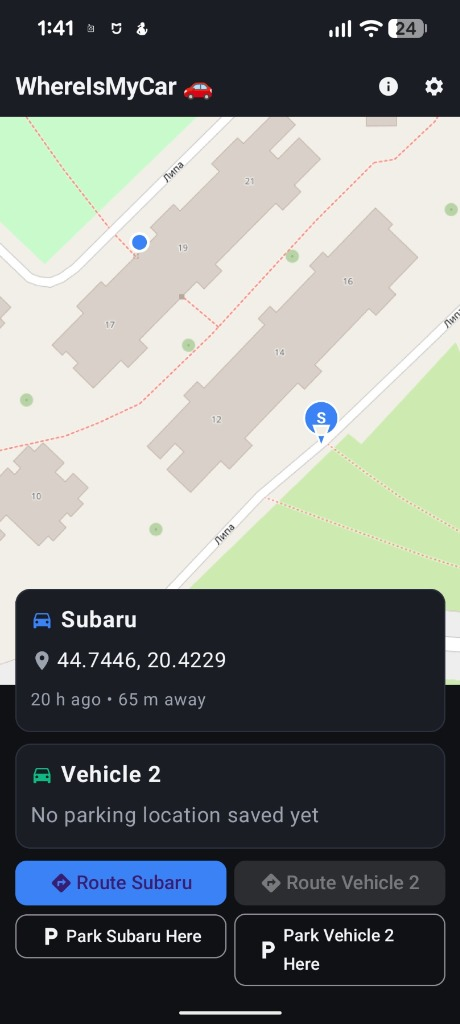
Main Map Screen
Tapping "Route Subaru" automatically opens Google Maps showing the shortest walking route to your car (distance: 65 m).
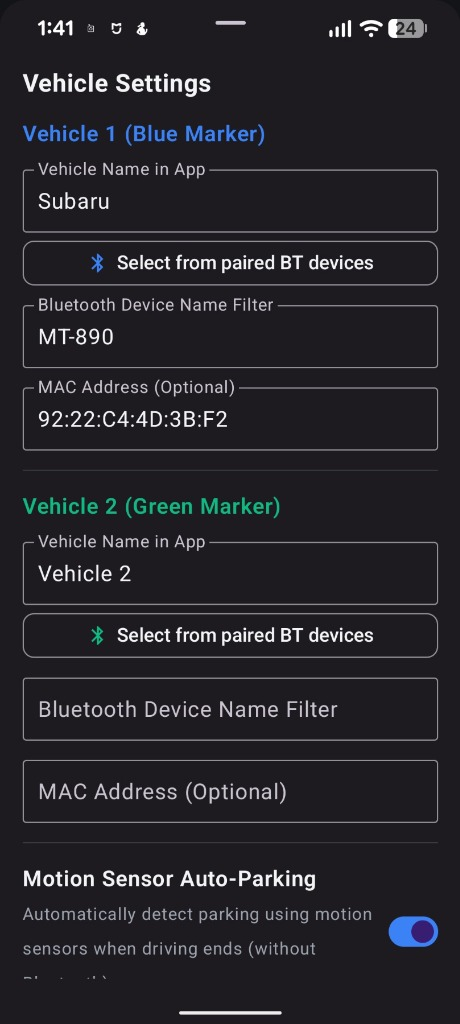
Vehicle Settings
Two vehicles (Blue and Green), Bluetooth filters, and motion sensor toggles.
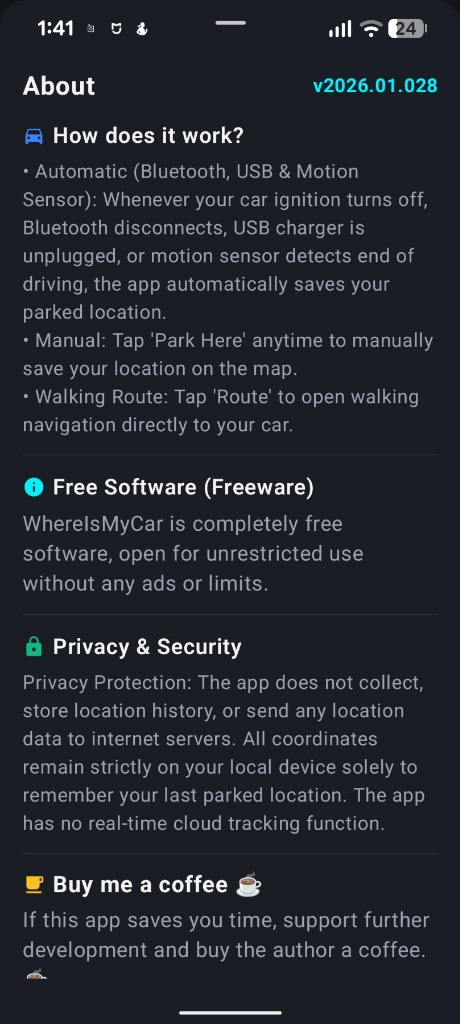
About & Freeware
Version v2026.01.028, privacy guarantee, technical architecture, and support option.
How to Install the APK on Android
The easiest way is installing directly from the official Google Play Store. If your device lacks Google Play Services or you prefer manual sideloading, follow the steps below:
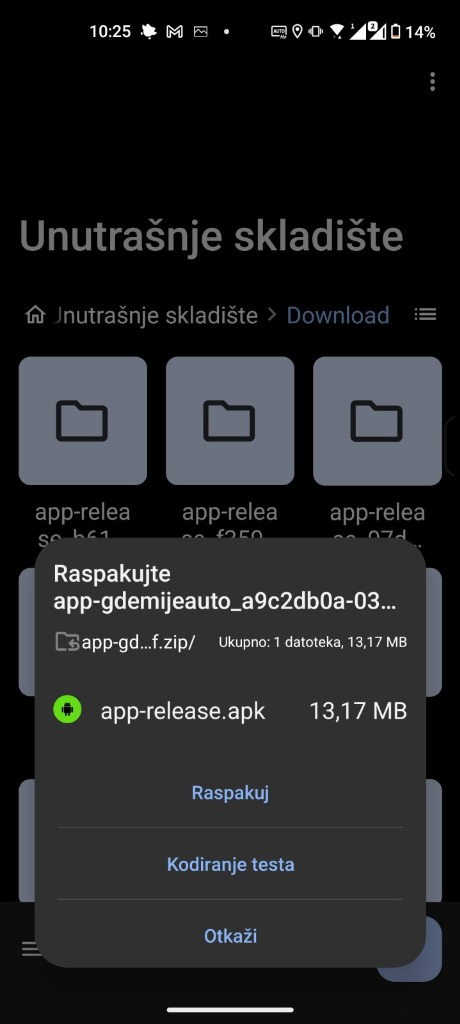
Download & Unpack
Download the APK or ZIP. If using ZIP, locate it in your Downloads folder and tap Extract.
Launch Installer
Tap the extracted app-release.apk in your device file manager to launch the native Android package installer.
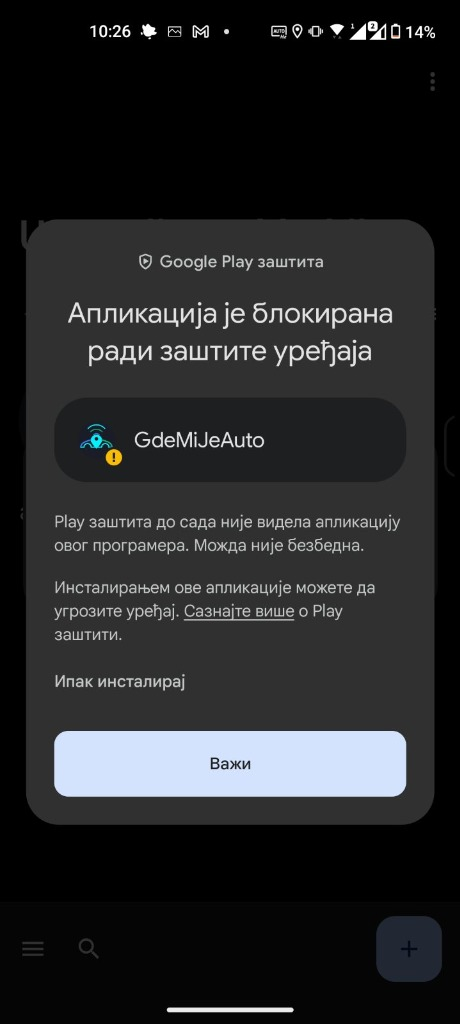
Tap "Install anyway"
Play Protect flags new developer apps. Tap "More details", then select "Install anyway". The app contains 0% ads and zero tracking.
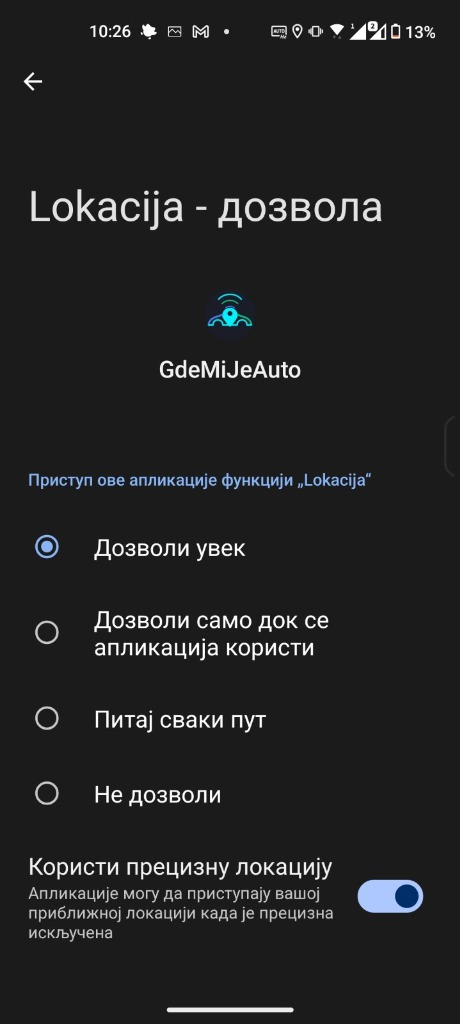
Set "Allow all the time"
Select "Allow all the time" and keep "Use precise location" enabled so the background service records parking coordinates automatically.
Buy Me a Coffee
WhereIsMyCar is completely free and 100% ad-free. If it saves you time and makes your daily commute easier, consider supporting the developer with a coffee.
Privacy Policy
Official Privacy Documentation for WhereIsMyCar (GdeMiJeAuto)
This Privacy Policy describes how Where Is My Car ("the App") handles your information. We are committed to protecting your privacy and ensuring a transparent user experience.
1. Information Collection and Use
- Location Data: The App requires access to your device's precise and/or approximate location (GPS / network-based), including background location during active driving sessions, solely to record and display the geographic coordinates where your vehicle is parked.
- No Tracking Functionality: The App CANNOT be used for real-time tracking, live monitoring, or surveillance of users or vehicles. The application does not maintain a movement history or breadcrumb trail, cannot transmit live coordinates, and is technically incapable of remote surveillance. Its sole utility is recording a single static point where a vehicle drive concluded.
- Local Storage: Saved locations, timestamps, and related parking notes are stored locally in an encrypted Room SQLite database on your device only.
- No Third-Party Transmission: We do not transmit, sell, share, or store your location data or personal details on any external remote server. The App does not contain any analytics or tracking SDKs (no Firebase, no AdMob).
2. Permissions Used
-
ACCESS_FINE_LOCATIONandACCESS_COARSE_LOCATION: Required to pinpoint the car's current position upon user request or automatic trigger. -
ACCESS_BACKGROUND_LOCATION: Required solely to enable the background service to capture the exact parking spot the moment your drive ends, even when the screen is locked or the app is closed. -
BLUETOOTH/BLUETOOTH_CONNECT: Used strictly to detect vehicle disconnect events when automated Bluetooth parking detection is enabled. -
ACTIVITY_RECOGNITION: Used solely to detect when you transition from driving (IN_VEHICLE) to walking (WALKING) for automated parking detection without Bluetooth.
3. Data Retention and Deletion
All recorded location data remains entirely under your control on your physical device. You can permanently delete stored coordinates at any time directly through the App interface or by clearing the application data/uninstalling the App.
4. Children's Privacy
The App is a general utility tool and is not directed at children under the age of 13. We do not knowingly collect personal information from children.
5. Changes to This Policy
We may update this Privacy Policy periodically. Any modifications will be posted on this page with an updated revision date.